
All Modules FREE & PRO

Health Score Dashboard

A single weighted health score and clickable module grid that gives you the complete picture of your WordPress site in seconds.

  • 17 Modules Summarised
  • 0 Database Writes
  • Read-Only Architecture

What This Module Does

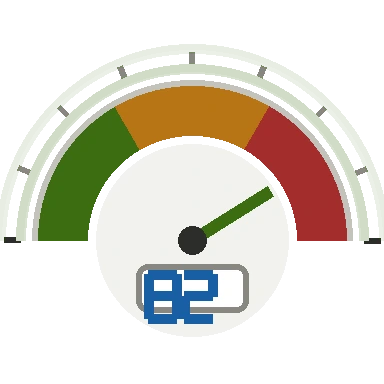
The Health Score Dashboard is your command centre. The moment you open WP Health Inspector, a weighted composite score from 0–100 tells you exactly how your site is performing across all active diagnostic modules. Below the score, an issue summary panel and clickable module grid let you jump straight to any area that needs attention — no hunting through menus.

Features at a Glance

Composite Health Score (0–100)

A single weighted score calculated from findings across all active modules. Critical issues — security, database health, SSL expiry — carry significantly more weight than informational notices, giving you a proportionate at-a-glance signal before you open any individual module.

Issue Summary Panel

Lists your highest-severity open findings with critical items in red and warnings in amber, so you always know what to act on first without opening every module individually.

System Snapshot

A compact table of key environment facts: WordPress version, PHP version, active theme, plugin count, memory limit, and database size — the context you need before diving into any diagnostic.

Clickable Module Grid

Every diagnostic module is shown as a status card. Click any card to jump directly to that module's full report with a single click.

Mobile Responsive

The health gauge, stats row, and module grid all reflow cleanly on tablets and phones so you can review site health from any device.

Why It Matters

  • Know at a glance whether your WordPress site has critical issues — without running individual modules
  • Give clients a single number that communicates site health in non-technical terms
  • Spot regressions immediately after a plugin update or migration
  • Orient new team members on a site's state before they touch anything
  • Use the module grid as a fast-navigation shortcut across the entire plugin

Frequently Asked Questions

How is the health score calculated?

The score is a weighted average of findings across all active modules. Critical findings — security issues, database corruption, SSL expiry — carry significantly more weight than informational notices. A perfectly clean site scores 100; each finding deducts points proportionally to its severity.

Does the score update automatically?

The score reflects the data collected when you load each module. It updates whenever you navigate to a module and that module re-runs its checks. There is no background polling — the plugin is read-only and collects data on demand.

Is the health score visible to anyone other than admins?

No. The entire plugin is gated behind the manage_options capability. Only WordPress administrators can access any part of WP Health Inspector.

Can I export the dashboard summary?

Yes. The One-Click Report Export generates a self-contained HTML report that includes the health score, issue summary, and system snapshot alongside all module findings. Pro users get expanded sections; Lite users get a focused core summary.

See Your WordPress Site's True Health in Seconds

Install WP Health Inspector and get your first health score in under a minute — no configuration, no account, no production risk.

Already Included in Lite — Free

The Health Score Dashboard is fully available in the free Lite version. Install it and see your first score immediately.

Download Lite — Free

Also Included in Pro

Pro unlocks all seventeen diagnostic modules, giving the health score every signal it needs to deliver the most complete picture of your site.

Get Pro Now